Avast One: Antivirus, Security
Avast SoftwareTools
4.6184.99K Reviews
- Version
- 26.13.1.260804690
- Installs
- 100.00M
- Age Rating
- Everyone
Screenshots

Our Review of Avast One: Antivirus, Security
 Analysis by Appyee
I usually think about phone security at the moment something feels off: a suspicious message arrives, an unfamiliar caller keeps trying, or I’m about to join Wi-Fi away from home. That is the sort of everyday starting point where Avast Antivirus & Security makes sense. It brings several protective and maintenance tools together, so I can check more than one concern without hunting through unrelated apps.
Choosing what to check first
My first practical tip is to treat the app as a set of separate tools rather than expecting one scan to solve every problem. If I’ve downloaded something questionable, I’d start with a malware check. If the issue is repeated calls, I’d look at call blocking instead. This sounds obvious, but it keeps the experience focused and makes it easier to judge whether a particular feature is useful to me.
Avast is a tools app from Avast Software, and its scale is reassuring to some users: it has more than 100 million installs and a 4.6 average from around 7.3 million ratings. Those figures don’t prove that it will suit every phone or solve every security concern, but they do suggest that it is a familiar option rather than an obscure utility. It is free to install, rated for Everyone, and includes optional in-app purchases.
A routine that fits real phone use
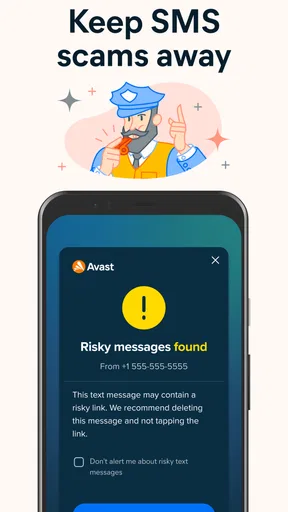
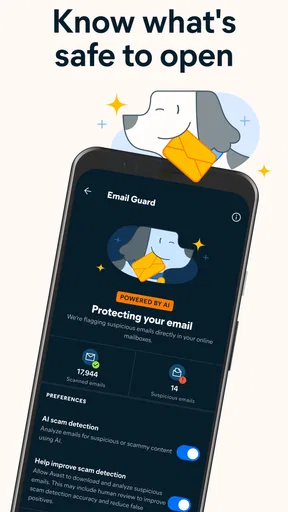
Imagine I receive a message that looks like a delivery notice while I’m waiting for a bus. I don’t tap its link just because it looks urgent. I can use Avast’s email and SMS protection as part of my broader screening routine, then decide whether the message deserves attention. If the same sender starts calling, call blocking offers a separate response. The useful idea is the handoff: a suspicious message and an unwanted call are related nuisances, but they need different actions.
I would still use ordinary caution. A security app is not a reason to open every attachment or share personal details with a caller. Protection tools can help reduce exposure, but I get the most value when I pause, check who is contacting me, and avoid acting under pressure. That habit matters more than expecting any app to make risky choices harmless.
Where its all-in-one approach helps
Compared with relying only on a phone’s built-in protections, Avast puts extra security and cleanup options in one place. That can be convenient if I want a dedicated malware check, a way to deal with nuisance calls, and tools for reviewing other risks without switching between several utilities. On the other hand, users who prefer a minimal setup may be happier with built-in protections and a separate, purpose-made blocker or security tool.
The trade-off is breadth. More tools can make the app feel like a useful dashboard, but they also mean more settings and more decisions than a single-purpose app. I’d choose Avast if I want to explore those functions as needed; I’d skip it if I already have a simple routine that works and don’t want another app competing for attention.
Useful checks before relying on it
Before making Avast part of my regular routine, I’d review which features are available without paying and which prompt for an upgrade. The app is free, but in-app purchases range from $0.99 to $139.99 per item, so I would check the specific offer and its terms before confirming anything. That range is a reason to make a deliberate choice, not a reason to assume that every feature requires payment.
I’d also make a small test plan: run a check when I have time to read the result, review the call-blocking controls before an important expected call, and check the settings after setup so the app behaves the way I want. For a phone used for work, family, and banking, this is more useful than installing a security app and never looking at its alerts again.
When another option may fit better
Avast is a good fit for people who want several phone-protection tools under one roof, especially if unwanted calls and suspicious messages are regular annoyances. It may be less appealing if you want a lightweight, no-frills app, if you dislike premium prompts, or if your main need is just one function such as blocking calls. In that case, a focused alternative can be easier to understand and manage.
I’d also think about how much I value a unified interface versus keeping security features separate. An all-in-one app reduces app switching, while separate tools can make it clearer which service is handling a particular task. Neither approach is automatically safer; the better choice is the one I’ll actually keep configured and use sensibly.
When it comes to keeping our phones safe and sound, I know we all want that extra layer of security. That's where Avast Antivirus & Security steps in. I’ve been using it for a while, and here's my take on how it fares as a mobile guardian.
First Impressions
Setting up Avast Antivirus & Security is a breeze. Right after downloading, it walks you through a simple setup process. The interface? Super clean and intuitive, which I really appreciate. It doesn’t bombard you with too many options right off the bat. Instead, it gives you exactly what you need to get started, and then some.
Features Galore
The app is packed with features—like, seriously packed. One standout is the real-time protection. It continuously scans for malware and viruses, which is a must-have in today's world. Plus, there's a Wi-Fi security scan that checks the safety of your network. I found this particularly useful when hopping onto public Wi-Fi. No one likes the idea of their data being snooped on, right?
Another cool feature is the app lock. You can lock specific apps with a PIN or fingerprint. This is perfect if you’ve got nosy friends or if you just want to keep certain apps under wraps. Also, let's talk about the junk cleaner. It helps to free up valuable space by removing unnecessary files and cache. My phone felt a tad faster after using it.
User Experience
Using Avast is quite straightforward. Navigating through the app is smooth, and I didn’t encounter any annoying lags. The notifications are also well-managed—they’re not spammy and only pop up when necessary. I like that because constant alerts can be a real mood killer.
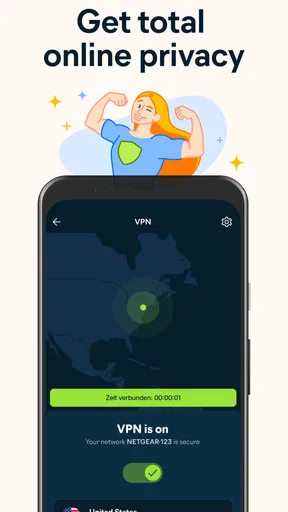
There's also a VPN feature, which is great for maintaining privacy online. While it's a premium feature, it’s a nice addition for those who often browse on unsecured networks. And if you’re into detailed stats, the app provides a comprehensive overview of its activities and scans, which I found reassuring.
What Sets It Apart?
One thing that makes Avast stand out is its anti-theft feature. Losing a phone is already stressful, but Avast helps ease that pain with its locate and lock options. You can even set it to take a photo of the person trying to unlock your phone—how cool is that?
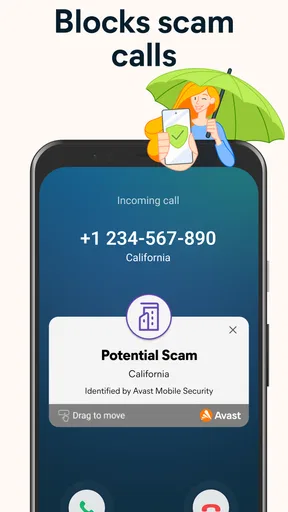
Additionally, the call blocker can be a lifesaver if you’re tired of spam calls. It's simple but effective, and you can customize which numbers to block. And for those of us who love a bit of customization, Avast allows some tweaking here and there to match your preferences.
A Few Considerations
Now, while Avast is packed with features, some of the premium offerings are behind a paywall. If you’re okay with spending a few bucks, it’s worth it. But for those on a tight budget, the free version still offers plenty of value.
Battery consumption is another thing to note. While it’s not a major drain, having it run in the background can slightly affect battery life. It's a trade-off for security, but something to keep in mind if you're trying to conserve power.
Keeping the protection practical
One detail I would not overlook is the distinction between protection and recovery. A scan can help me respond to suspicious files, and anti-theft tools may help me act if a phone goes missing, but neither removes the need to keep important account recovery options up to date. I’d make sure I can access the accounts tied to my device from another trusted device, rather than relying on a lost phone to manage its own recovery.
Likewise, I’d be selective about app locking. It can add a useful layer of privacy when I lend my phone to someone or leave it on a desk, but locking every app can turn ordinary tasks into a series of extra steps. I’d reserve it for sensitive apps that I genuinely want to shield, then try the routine for a few days and remove locks that create more friction than value.
Small habits that make the tools more useful
When I’m using public Wi-Fi, I’d run the network check before signing in to anything important, then decide whether I’m comfortable continuing. A warning should prompt me to reconsider the connection, not encourage me to ignore it because the app is installed. If I need a VPN, I’d first check the app’s current plan and feature terms, since the VPN mentioned here is a premium option.
The cleaner is another tool I’d use with a light touch. I’d review what it proposes to remove rather than treating every suggested file as disposable. Clearing cached or unnecessary items can help reclaim space, but it can also mean an app has to rebuild temporary data later. If storage is tight, I’d start by checking large files and apps I no longer use, then use the cleaner as a second pass.
Compatibility and everyday expectations
The current version is 26.0.9.260112939, and the app requires Android 10 or later. That matters if I’m helping a relative with an older phone: I’d check the operating-system version before planning a setup, rather than assuming that a popular security app will work on every device. Avast has been available since December 6, 2011, but a long presence doesn’t remove the need to check present-day compatibility.
For day-to-day use, I’d expect the most value when I have a clear reason to open a specific tool: checking a file concern, dealing with repeated unwanted calls, or reviewing a network before browsing. I wouldn’t use a cleaner simply because it is there, or treat a list of scan results as proof that every online risk has disappeared. The app works best as a practical set of checks that supports sensible phone habits.
Who I’d recommend it to
I’d recommend it to someone who wants a familiar, broad security toolkit and is willing to spend a little time choosing which parts matter. It is particularly convenient for a person who handles messages and calls from unfamiliar sources and also wants malware checks and device-maintenance tools in the same app. The large user base may make it feel approachable, though popularity alone is not a substitute for checking settings and reading alerts.
I’d be more cautious about recommending it to someone who dislikes background activity, wants no premium offers, or expects a security app to make every online decision for them. In those cases, the phone’s built-in safeguards or a narrowly focused tool may be a better match. I’d also avoid adding it just to duplicate features already covered by another security product; overlapping tools can make it harder to tell which app is responsible for a notification or setting.
What to expect from scans and alerts
If an alert appears, I’d read the explanation before taking action, especially when the suggested response could affect an app or file I rely on. I’d avoid tapping through prompts just to clear the screen. For a false alarm or an unclear result, checking the item’s name and source first is a calmer approach than immediately removing it. A security tool is most helpful when its findings lead to a considered next step.
People often wonder whether they need to pay to get anything worthwhile. My view is to begin with the free tools that address an actual need, then consider a paid feature only if I know what it does and expect to use it regularly. The available purchase options vary widely, so I would not treat a displayed upgrade as a necessary part of installing or using the app.
Wrapping It Up
Overall, Avast Antivirus & Security is a solid choice for anyone looking to boost their phone’s security. It’s user-friendly, packed with features, and offers peace of mind. Whether you’re worried about viruses, privacy, or just want to keep your phone running smoothly, Avast has got you covered.
So, if you’re in the market for an antivirus app, give Avast a try. It might just be the digital bodyguard your phone needs.
Verdict
Strengths of Avast One: Antivirus, Security
- Comprehensive malware protection.
- User-friendly interface.
- Regular updates enhance security.
- Minimal impact on device performance.
- Includes VPN for secure browsing.
Limitations of Avast One: Antivirus, Security
- Ads can be intrusive at times.
- Some features require premium upgrade.
- May prompt unnecessary notifications.
- Initial setup can be slightly complex.
- VPN limits data on free version.
Other Releases by Avast Software
View All
Avast Cleanup – Phone Cleaner
Tools4.6

Avast SecureLine VPN & Privacy
Communication4.3
Similar Picks in This Category
View All
Google LLC4.0

Gboard - the Google Keyboard
Google LLC4.5

Google Play services
Google LLC4.3

Google Play Store
Google LLC4.9

Files by Google
Google LLC4.5

SHAREit: Transfer, Share Files
Smart Media4U Technology Pte.Ltd.4.3
You May Also Like
View All


Frequently Asked Questions
What features does Avast Antivirus & Security offer for mobile devices?
Avast Antivirus & Security provides comprehensive protection for mobile devices, including malware and virus scanning, app permissions management, Wi-Fi security checks, and anti-theft features. Additionally, it offers a VPN for secure browsing, a privacy advisor, and junk cleaner to optimize device performance. These features ensure robust protection and enhanced device efficiency.
Is Avast Antivirus & Security free to use on Android and iOS?
Avast Antivirus & Security is available as a free app with essential security features such as antivirus protection and malware scanning. However, for advanced features like VPN access, app locking, and enhanced anti-theft tools, users can opt for a premium subscription, which involves a monthly or yearly fee.
How does Avast Antivirus & Security impact device performance?
Avast is designed to run efficiently in the background without significantly impacting device performance. It uses minimal resources and offers features like a junk cleaner to optimize system performance. However, users may notice slight battery usage during scans, which is typical for most security applications.
Can Avast Antivirus & Security protect against phishing attacks?
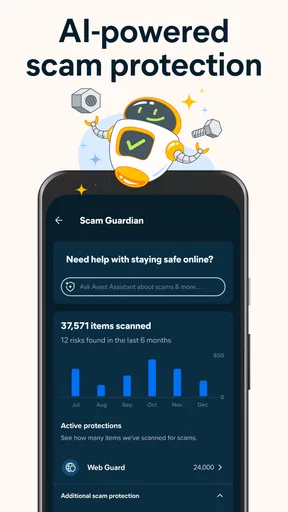
Yes, Avast Antivirus & Security includes a Web Shield feature that blocks dangerous phishing sites, ensuring safe browsing. This feature actively scans URLs for malicious content, providing real-time protection against phishing attacks that aim to steal personal information, such as passwords and credit card details.
How user-friendly is Avast Antivirus & Security for beginners?
Avast Antivirus & Security is designed with an intuitive interface, making it accessible for users of all experience levels. The app provides clear instructions and easy navigation, allowing beginners to set up and customize their security preferences effortlessly. Additionally, the app’s settings and features are straightforward, enhancing user experience.
